zoho
Zoho CRM Blueprint: What the Docs Don't Tell You (2026)
Zoho's Blueprint docs show you the editor. This covers the rest: edition limits, API gotchas, when to skip Blueprint, and a worked example from a live freight CRM.
12 Aug 2026 · 10 min read · Abhijeet Singh
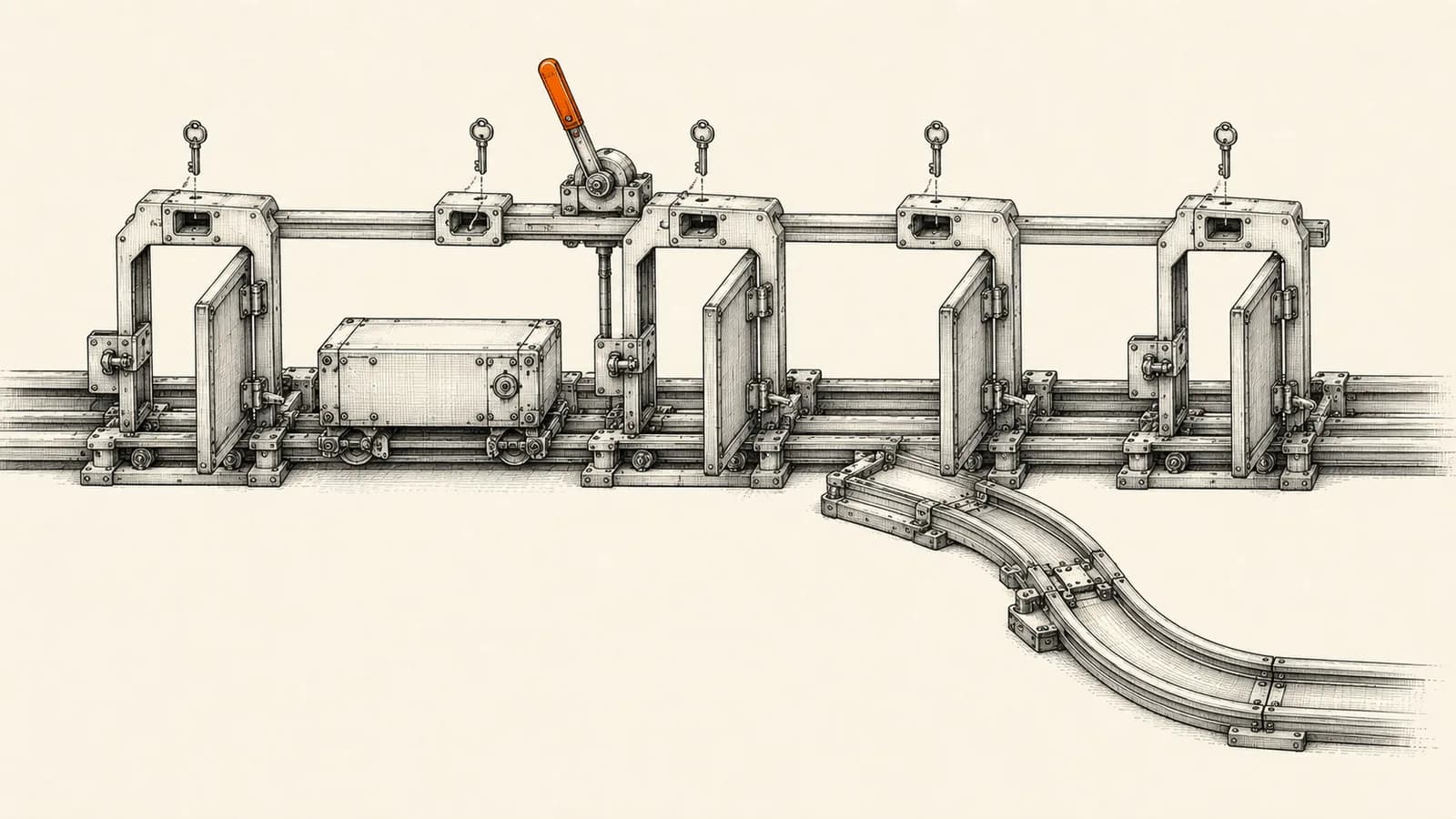
If you searched for Zoho CRM Blueprint documentation, you probably found Zoho's official help pages — and if you're still searching, you found what most people find: the docs explain every button in the editor and almost nothing about how a Blueprint behaves in a real business. This guide is the companion to those docs. It links to the official pages where they're genuinely useful, and fills in what they leave out: the edition limits that quietly veto your design, the integration behaviour that breaks automations, the mistakes that make reps route around your process, and a worked example from a CRM I run in production.
I build Zoho CRM systems for a living — the examples here come from live client builds, not from a demo org.
The Short Version
- Blueprint turns a picklist field (usually Stage) into an enforced process: users move records with transition buttons instead of editing the field freely.
- It's available from Professional edition up, and the edition limits are tight enough on Professional to change your design — check them before you draw a single state.
- Records created by imports, web forms, and APIs do not always behave like records created by hand. This is the number one source of "my Blueprint doesn't work" tickets.
- Blueprint governs one picklist in one module. If your process's state lives across several modules — or has no human decisions at all — other tools do the job better. My own freight CRM build is the example below.
Where the Official Blueprint Documentation Lives
Bookmark these four pages — they're the ones worth reading, in this order:
- Blueprint: An Overview — what States and Transitions are.
- Design a Blueprint — the editor walkthrough.
- Blueprint FAQs — buried here: the automation-override rule and the usage report, both covered below.
- Feature Availability and Limits — the per-edition limits table Zoho keeps out of the Blueprint pages themselves.
What follows assumes you've skimmed the overview. Everything else here is what those pages don't say.
Blueprint States and Transitions, Properly Explained
A Blueprint is built on a picklist field, most often the Stage field in Deals or the Status field in Leads. Every value of that picklist becomes a State. A Transition is the link between two states, and it prescribes the conditions a record must meet to move.
The important consequence: once a Blueprint is active, users no longer edit the stage field freely. They click a transition button on the record, and the system decides what happens next.
Every transition has three sections, and understanding that split is most of the battle:
- Before Transition decides who can execute the move and which records it applies to. Transition owners and criteria live here — a transition can be restricted to the record owner, a role, or a named user.
- During Transition specifies what the user must supply to complete the move: mandatory fields, notes, checklists, attachments, validation criteria. Transitions can also mandate associated items such as tasks, calls, quotes, and sales orders.
- After Transition defines what gets automated once the move completes: emails, field updates, task creation, webhooks, and custom functions.
Read the three sections as one sentence: who is allowed to do this, what they must tell us, and what happens automatically as a result.
The Edition Limits That Veto Designs
This is the section Zoho's Blueprint pages skip entirely — the numbers live on the separate feature availability page, and at the time of writing they are:
- Standard edition: no Blueprint at all.
- Professional: 3 Blueprints (including defaults), 10 transitions per Blueprint, 2 common transitions, 4 fields per During Transition section.
- Enterprise: 50 Blueprints, 100 transitions per Blueprint, 10 common transitions, 10 During Transition fields.
- Ultimate: 100 Blueprints, 300 transitions per Blueprint, 25 common transitions, 50 During Transition fields.
Those numbers are not trivia. On Professional, 10 transitions disappears fast once you add rejection and rework paths, and 4 During Transition fields is a hard cap on what a stage gate can collect. If your design needs 15 transitions on Professional, the honest answer is to simplify the process or budget for Enterprise — not to fight the limit halfway through the build.
In my Zoho implementations this gets sized before drawing a single state, because a design that cannot be built is worse than a simpler one that ships.
What the Documentation Doesn't Tell You
Five behaviours that surprise almost every team, none of them prominent in the official pages.
Records from forms, imports, and APIs behave differently
Records arriving from a web form, a bulk import, or an automation platform do not necessarily behave like records created by hand. Zoho's records APIs accept a trigger input whose values include workflow, approval, blueprint, pathfinder, and orchestration. Omit it and the related automations execute; pass an empty array and they don't. That single parameter decides whether leads pushed in from your website or your automation layer enter the Blueprint at all. If you connect Zoho to n8n, Zapier, or a custom integration, this is the first thing to check — it's the number one cause of "the Blueprint just doesn't trigger."
Transitions can be driven by API — one at a time
Zoho's Update Blueprint Details API performs one transition at a time against a record. It errors when the record isn't currently in that transition, when the transition ID is wrong, when a field value type mismatches, or when validation fails — and it fails with a record-locked error when appropriate, which is exactly what you want from a process gate. The pattern I build for clients: the automation layer creates or updates records with triggers set explicitly, humans drive judgement transitions by button, and the API drives genuinely mechanical ones — like advancing a deal when a signed-document webhook arrives.
Only Workflow can override a Blueprint
Per Zoho's Blueprint FAQs, no automation tool other than Workflow can override a Blueprint action — approval processes and assignment rules will not take precedence. Design accordingly: if something must override a Blueprint outcome, a workflow rule is the only tool that wins.
Records can silently fail to enter the Blueprint
Zoho documents several reasons a record never enters a Blueprint: the Blueprint is disabled, the record doesn't match the specified layout, or entry criteria reference states no longer in use. When a Blueprint appears completely dead, check those three before rebuilding anything.
The usage report is the real requirements document
The FAQs also describe the Blueprint usage report: active and completed records, average time per Blueprint and per state, and how often each transition fired. That report answers the question every sales leader asks and few can evidence — where exactly do deals die? I treat the first month of usage data as the real requirements document. The Blueprint you launch is a hypothesis; the state durations tell you which stage gate is doing work and which is theatre.
Blueprint vs Workflow Rules vs Validation Rules
Teams often build the same requirement three different ways. The distinction is simple once you frame it around the user:
- A Blueprint is user-facing. It appears on the record, guides the next action, and blocks invalid moves. Use it when a person makes a judgement call that must follow a sequence.
- A workflow rule is silent. It fires on an event and acts with no prompt. Use it for the consequences of a stage change, not the stage change itself.
- A validation rule is a gate on data entry. Use it for field-level correctness that must hold at every stage.
If your pipeline stages themselves are the problem — named after seller activity instead of buyer evidence — fix that before enforcing anything. I wrote a separate guide on designing pipeline stages that actually forecast; Blueprint enforces a design, it cannot rescue a bad one.
When Not to Use Blueprint
A Blueprint is the wrong tool when:
- The process has no human decision points — background automation does it with less friction.
- The process's state lives across several modules rather than in one picklist field — see the freight example below.
- The sequence genuinely varies for every deal — a rigid map of a fluid process gets routed around within a month.
- The only real requirement is data quality on a few fields — a validation rule does that without restructuring how reps work.
- Your CRM data is a mess. Enforcing a process on top of duplicated accounts and stale owners makes the mess mandatory. Run a data cleanup first.
The Five Blueprint Mistakes I Keep Seeing
- Mandating eight fields at a stage the rep reaches mid-phone-call. Mandate the minimum that makes the next stage possible; collect the rest later.
- Asking for information where it doesn't naturally exist. A decision-maker name at qualification works; at proposal stage, the rep invents something.
- No exit that isn't success. If the only way out of Negotiation is Closed Won, reps park dead deals there and your pipeline report becomes fiction. Common transitions — reachable from any state, per the Blueprint glossary — are the right home for Closed Lost and Disqualified.
- Building for the handbook, not the best rep. Map what your best rep actually does, then formalise it.
- Publishing without a draft review. Zoho supports saving a Blueprint as a draft — build and review the whole flow before it touches live records, and test with two or three reps on low-value records before rollout.
A Worked Example: Why My Freight CRM Doesn't Use Blueprint
The most useful thing I can show you is a real decision. I built a custom Zoho CRM for an international freight forwarder that carries an enquiry through an 8-step inquiry-to-invoice pipeline across 7 interconnected modules — contacts, accounts, deals, quotes, jobs, cost sheets, and invoicing. The org runs on Enterprise, so every Blueprint ceiling listed above was comfortably available.
That build does not use Blueprint. Process enforcement is done with client scripts, workflow rules, and Deluge functions instead — and the reason is the single most important thing to understand before you draw your first state.
A Blueprint governs one picklist field in one module. The freight pipeline's state doesn't live in one field — it lives across modules. A deal becomes a quote, a quote becomes a job, a job gets a cost sheet, a cost sheet becomes an invoice. The judgement moments happen at the hand-offs between modules, which is exactly where a single-module Blueprint can't reach. So the enforcement went where the process actually lives: client scripts pre-fill and validate fields the moment a record opens, workflow rules handle the consequences of each stage change, and Deluge functions create the next module's record so nothing is re-typed between stages.
The lesson is not "skip Blueprint." The lesson is: match the tool to where your process state lives. A judgement sequence inside a single module's field — lead qualification moving from Not Contacted through Contacted to Qualified, with exits for lost, junk, duplicate, and not-ready leads — is Blueprint's home ground, and it's the same shape as Zoho's own sample process flow. A chain of records across modules makes Blueprint a bystander, and cross-module automation does the real work.
Here is that home ground in a live org — a lead-nurturing Blueprint from one of my client builds, running on the Leads module's Lead Status field:
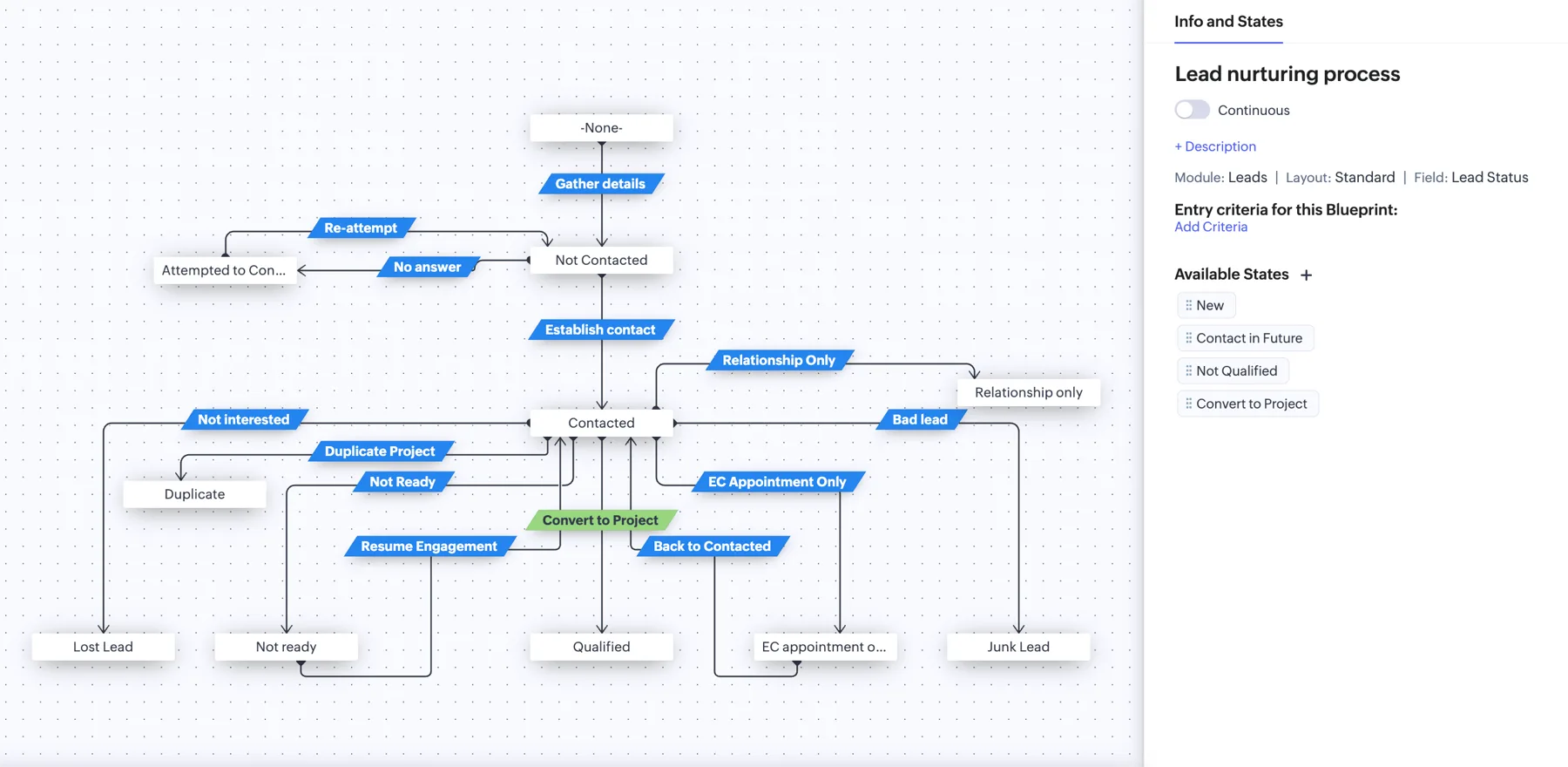
Notice what the canvas shows. Every state has an exit that is not success — Not Interested, Bad Lead, Duplicate Project, Not Ready — and parked leads have a way back in, through Resume Engagement and Back to Contacted transitions. That is the difference between a Blueprint reps use and one they route around.
A Rollout Sequence That Works
Map the real process by watching what your best rep already does. Confirm the edition limits allow the design. Build it in draft. Test with two or three reps on live but low-value records. Publish. Read the usage report after four weeks and remove every mandatory field that produced no decision.
Blueprint is one of the highest-leverage features in Zoho CRM because it changes behaviour rather than merely reporting on it. It is also one of the easiest to over-engineer — and an over-engineered process gets routed around within a month.
If you're planning a Blueprint, moving a sales process off spreadsheets, or connecting stage changes to the rest of your operations, this is work I do end to end for growing businesses. Get in touch and I'll look at your actual process before touching your CRM.
Related resources
Keep building the automation map
Move from the guide into the services and proof pages connected to this topic.
Related services
Service
Explore Zoho CRM Consulting
Zoho CRM setup, custom modules, client scripts, Deluge functions, workflow rules, and cross-module automation.
Service
Explore Custom CRM Implementation
Custom CRM architecture for sales pipelines, operations handoff, service workflows, invoicing, and reporting dashboards.
Service
Explore n8n Workflow Development
Custom n8n workflow automation for lead capture, CRM sync, AI enrichment, approvals, and notifications — built to keep running when nobody is watching.
Further reading
Guide
Read: Sales Pipeline Design in 2026: Stages That Actually Forecast
Sales pipeline design decides whether your forecast is real. A consultant's framework for buyer-based stages, honest probabilities and CRM enforcement.
Guide
Read: Zoho CRM Zia AI Features in 2026: What's Worth Turning On
Every Zia AI feature in Zoho CRM sorted into enable now, pilot first, or skip — with links to the official docs and what real SMB rollouts actually show.
Guide
Read: Zoho CRM Reports vs Zoho Analytics: When to Upgrade in 2026
Zoho CRM reports vs Zoho Analytics: the five signals that tell you native CRM reporting has run out, what Analytics added in 2026, and what it really costs.
Proof pages
Case study
See case study: Custom Zoho CRM with Auto-Pipeline for a Freight Forwarder
A freight CRM that carries an enquiry through contacts, accounts, deals, quotes, jobs, cost sheets, and invoicing — with client scripts and Deluge automation removing the re-typing between every stage.
Case study
See case study: Complete Zoho Stack for a B2B Packaging Manufacturer
One Zoho operating system for a Pune packaging manufacturer — sales, service, inventory, accounting, ticketing, and analytics — replacing the legacy Excel and Salesforce files the business used to run on.