ai
Notion AI Agents in 2026: What They Can Replace (and Can't)
Notion shipped External Agents and Workers in 2026. Here's what Notion AI agents actually replace for founders, and what still needs real automation.
15 Jul 2026 · 7 min read · Abhijeet Singh
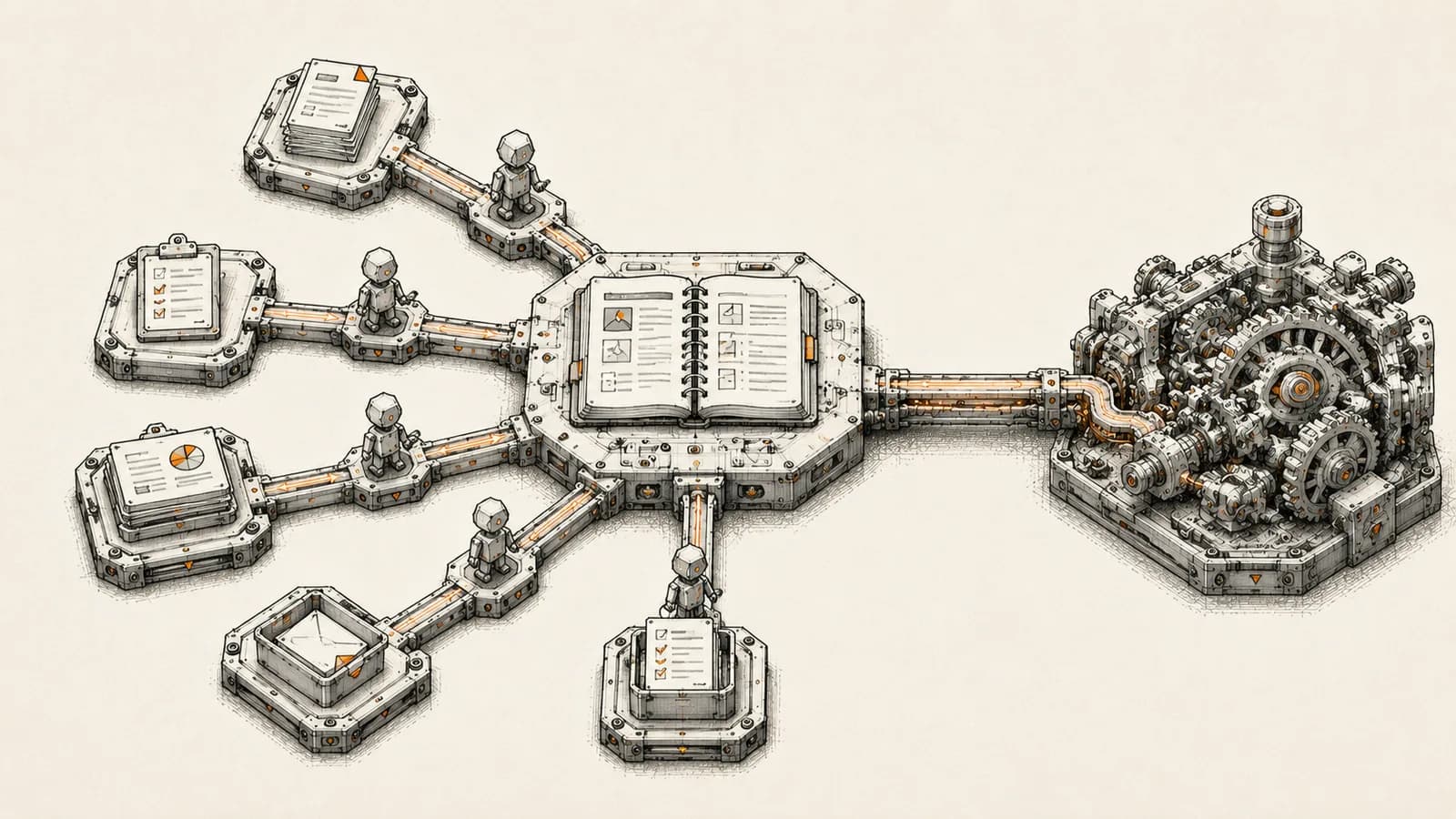
Notion spent most of its life as a place to write documents and organize databases. In 2026 it repositioned itself as something closer to an operating layer: a workspace where AI agents read your data, write your files, and complete tasks alongside your team. If you run operations for a small or mid-size business, the Notion AI agents rollout this year is worth understanding on its own terms, not through the marketing copy, because it changes a real question you'll eventually face: which parts of your automation stack belong inside a knowledge tool, and which belong in a dedicated automation platform.
This matters more than it sounds. Founders keep asking whether Notion, Cursor, or Linear can now do what n8n or a CRM implementation does. The honest answer is: partly, and only for certain jobs. Here's what actually shipped, what it's good for, and where it will quietly cost you more than it saves.
What Notion actually shipped in 2026
Start with the timeline, because vendor blogs blur "announced" and "available" until they sound the same thing.
Notion launched Custom Agents in February 2026, aimed at repetitive knowledge-work tasks inside a workspace. According to Notion's own product messaging and reporting on the launch, customers built more than one million of these agents in the months that followed, though most of that first wave lacked two things founders actually need: connections to external data sources and the ability to run custom logic.
Notion closed that gap on May 13, 2026, when it introduced a developer platform built around a new primitive called Workers. Workers is a hosted, sandboxed runtime where a team can deploy custom code that syncs data, exposes new tools to agents, and responds to webhook triggers, without standing up their own server. Database Sync, powered by Workers, pulls live records from systems like Salesforce, Zendesk, or a Postgres database directly into a Notion database, which is the piece that actually makes an agent inside Notion useful for real operational work rather than just drafting text.
Then, on July 1, 2026, Notion shipped release 3.6, which added External Agents. This lets a team bring in agents from Claude, Cursor, Codex, and Decagon, assign them tasks on a shared board, mention them the way you'd mention a teammate, and watch execution happen inside the same workspace everyone already uses. The same release added interactive HTML blocks agents can build inside documents (ROI calculators, organizational charts, small internal tools), speaker-labeled AI meeting notes, native reading and writing of Microsoft Office files, and direct connections to Outlook mail and calendar. Users can pick which model powers an agent, choosing between higher-reasoning options and cheaper, faster ones for routine work.
None of this is a roadmap slide. It is currently live, and it is currently free to try on Business and Enterprise plans while Workers remains in beta.
The real question: orchestration layer, or automation platform?
Every one of these features answers the same underlying pitch: Notion wants to be the place where your team and your agents meet, rather than one app among many that an automation platform pushes data into. That's a genuinely different role than "workflow automation tool," and it's worth being precise about the difference before you decide where a given process should live.
A workflow automation platform's job is to move data reliably between systems, on a schedule or a trigger, with retries, error handling, and observability built for unattended operation. A knowledge-work orchestration layer's job is to give people and agents a shared surface to see state, make decisions, and act on data that's already been assembled. Notion is now trying to do both, and it does the second one considerably better than the first.
Where Notion AI agents genuinely win
Three use cases hold up well under scrutiny.
Cross-functional visibility. When a Custom Agent or External Agent updates a project board, drafts a summary, or logs a decision, everyone on the team sees it in the same place they already work. You don't need a separate dashboard for "what did the agent do today."
Judgment-in-the-loop tasks. Meeting notes with speaker labels, first-draft documents, ROI calculators built on the fly, internal tools assembled from a prompt: these are all tasks where a human is going to read the output and decide what to do next. Notion's surface is built for exactly that kind of review.
Light integration without engineering time. Database Sync pulling a Salesforce or Postgres table into a Notion view is a reasonable way to give a non-technical team read access to operational data without building a custom internal tool.
Where Notion AI agents fall short
The gaps matter just as much, especially for anything that has to run correctly, unattended, at volume.
Reliability guarantees. A workflow platform gives you retries, dead-letter queues, execution logs you can audit months later, and alerting when something fails silently. Notion's agent layer is optimized for a human noticing something looks off, not for guaranteeing a step completed.
Complex branching logic. Multi-step conditional workflows with dozens of decision points, especially ones touching several external systems, get unwieldy fast in a tool designed around documents and boards rather than a visual execution graph.
Cost at volume. Workers currently runs free during its beta period, but Notion's own pricing documentation states that starting October 15, 2026, Workers will require Notion credits, priced at roughly $0.0023 per run, which works out to about 4,348 runs per 1,000 monthly credits at ten dollars per thousand credits. That's fine for a few hundred syncs a day. It adds up quickly once an agent is triggering a Worker on every CRM update, every form submission, and every inbound message across a growing team.
Ownership of the system of record. A CRM, an inventory system, or a finance stack still needs to be the authoritative source of truth, with proper access control and audit history. Routing that responsibility through a workspace tool built primarily for humans reading documents is a bet most operations leaders shouldn't take.
A decision framework for founders
Before deciding whether a process belongs in Notion's agent layer or in a dedicated automation platform, run it through four questions.
Does this task need a human to review the output before anything happens downstream? If yes, Notion's surface is a strong fit. If the task should run silently and correctly without anyone watching, it belongs in a platform built for unattended execution.
Does failure need to page someone, or just get noticed eventually? Mission-critical steps, like a payment confirmation or an inventory update that blocks a shipment, need real error handling and alerting, not a workspace notification someone might miss.
How many systems does this process touch? One or two, with light logic, is manageable inside Notion's agent tools. Four or five systems with branching conditions is a workflow automation job.
What does this cost at ten times today's volume? Model the Workers credit cost the same way you'd model any other per-transaction fee before committing a high-frequency process to it.
How this fits into a broader automation stack
The realistic setup for most growing businesses isn't picking one tool. It's letting Notion's agents own the parts of the process that involve a person reading, deciding, and acting on assembled information, while a dedicated automation platform and a proper CRM own the parts that must run correctly without anyone watching. We build this kind of layered stack for clients regularly: a CRM or inventory system as the system of record, a workflow platform handling the unattended, high-volume logic, and a workspace layer like Notion handling the human-facing coordination on top. Getting that division right the first time saves the painful rebuild that happens when a team routes mission-critical logic through a tool that was never built to guarantee it.
If you're trying to figure out where the line should sit for your own operation, or you've already run into the limits of stretching a knowledge tool to do a workflow platform's job, get in touch through the AbhijeetBuilts website. We'll look at your actual process and tell you plainly what belongs where.
Related resources
Keep building the automation map
Move from the guide into the services and proof pages connected to this topic.
Related services
Service
Explore AI Agent Development
AI agents for sales replies, lead memory, storyboard generation, data extraction, and structured automation outputs.
Service
Explore n8n Workflow Development
Custom n8n workflow automation for lead capture, CRM sync, AI enrichment, approvals, and notifications — built to keep running when nobody is watching.
Service
Explore Custom CRM Implementation
Custom CRM architecture for sales pipelines, operations handoff, service workflows, invoicing, and reporting dashboards.
Further reading
Guide
Read: How Startup Teams Can Use AI Agents to Reduce Manual Follow-Ups
Learn how startup teams can use AI agents to reduce missed follow-ups, keep CRM records updated, and improve lead response without losing human control.
Guide
Read: n8n vs Zapier for Startups: Which Automation Platform Should You Choose in 2026?
A practical founder-focused comparison of n8n and Zapier, covering ease of use, flexibility, costs, AI workflows, and which platform startups should choose in 2026.
Guide
Read: How to Think About Business Automation Before Building Workflows
Good automation starts with the business process, not the tool. Here is a practical way to map workflows before building in n8n, Zoho, or AI agents.
Proof pages
Case study
See case study: Automated LinkedIn Outreach with AI Reply Agent
A complete LinkedIn outreach system: prospect scraping, a deliberately gradual connection ramp, post engagement, acceptance tracking, campaign messaging, and Claude-powered replies that remember every lead.
Case study
See case study: Complete Zoho Stack for a B2B Packaging Manufacturer
One Zoho operating system for a B2B packaging manufacturer — sales, service, inventory, accounting, ticketing, and analytics — replacing the legacy Excel and Salesforce files the business used to run on.