Bill of materials
Tech stack used
n8n (self-hosted)Zoho CRMMeta Lead AdsGoogle AdsCall trackingWebhooks
US manufacturer
About 20 lead and attribution workflows moved from Zapier to self-hosted n8n, taking the automation bill from about $70 a month to a $10 server the client owns.
Field 01 — Industry
Manufacturing, multi-site lead generation
Field 02 — Status
Live
Field 03 — Duration
Live, Zapier fully retired
A US manufacturer ran its lead capture on Zapier: website forms on several sites, Meta lead ads, call tracking and ad-conversion uploads, all feeding Zoho CRM.
Zapier cost about $70 a month and left little room to build what the business needed: branching logic, retries, duplicate checks and custom API calls were awkward or impossible.
Some Zaps had also been copied forward with their flaws, so leads reached the CRM with missing or badly formatted fields.
Every workflow moved to self-hosted n8n on a small server the client owns, at about $10 a month. The same server also runs other open-source tools the business uses.
Each Zap was rebuilt rather than copied, so every workflow now sends clean, properly formatted data to Zoho CRM and can be extended without a per-task bill.
Bill of materials
Cross-reference
Next action
Share the workflow you want to automate and the tools your team already uses.
Discuss this projectField evidence
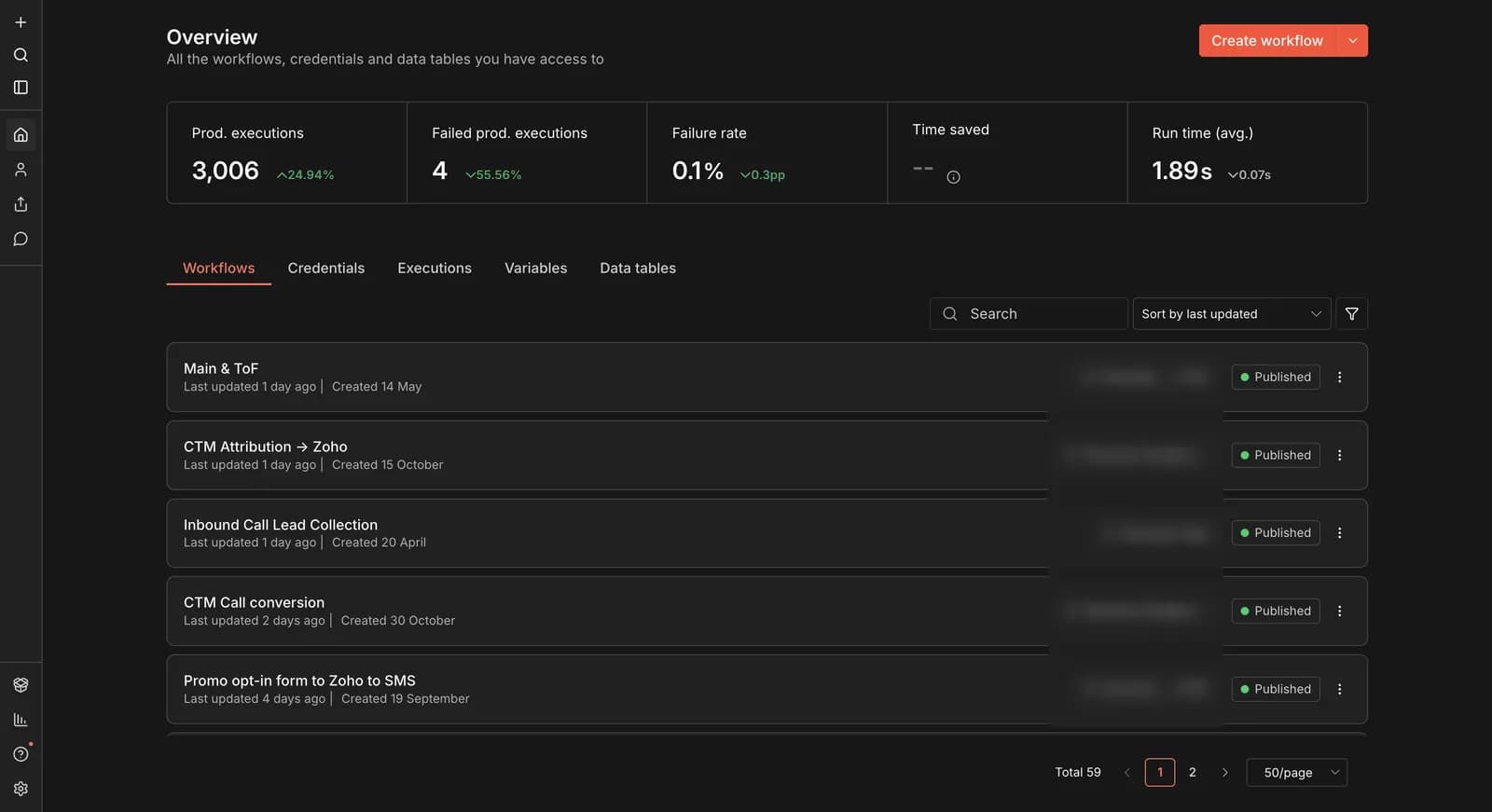
PLATE 01The client's self-hosted n8n: 3,006 production runs with a 0.1% failure rate.
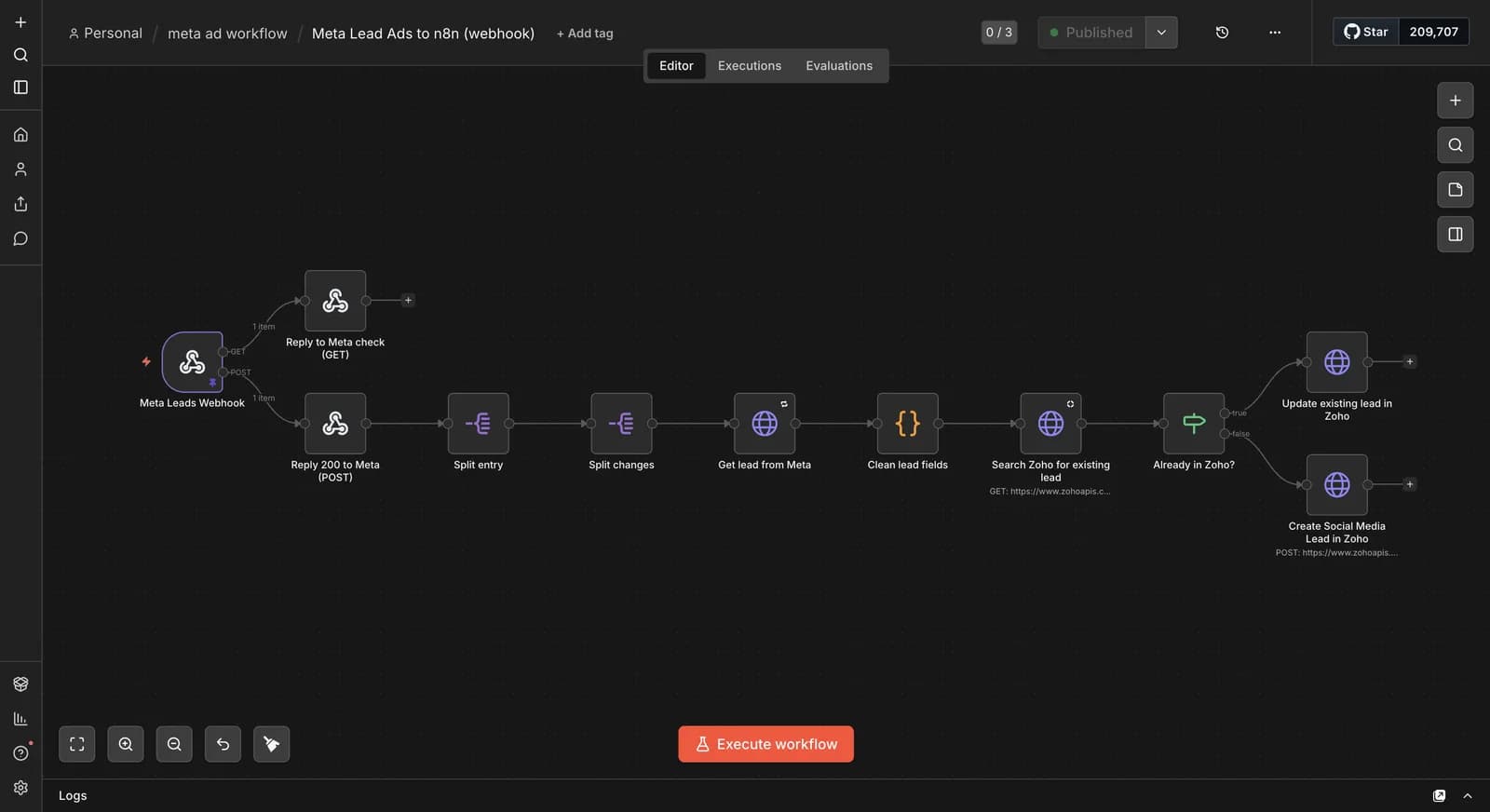
PLATE 02Meta lead ads arrive by webhook, get cleaned, and are checked for duplicates before Zoho CRM is updated.
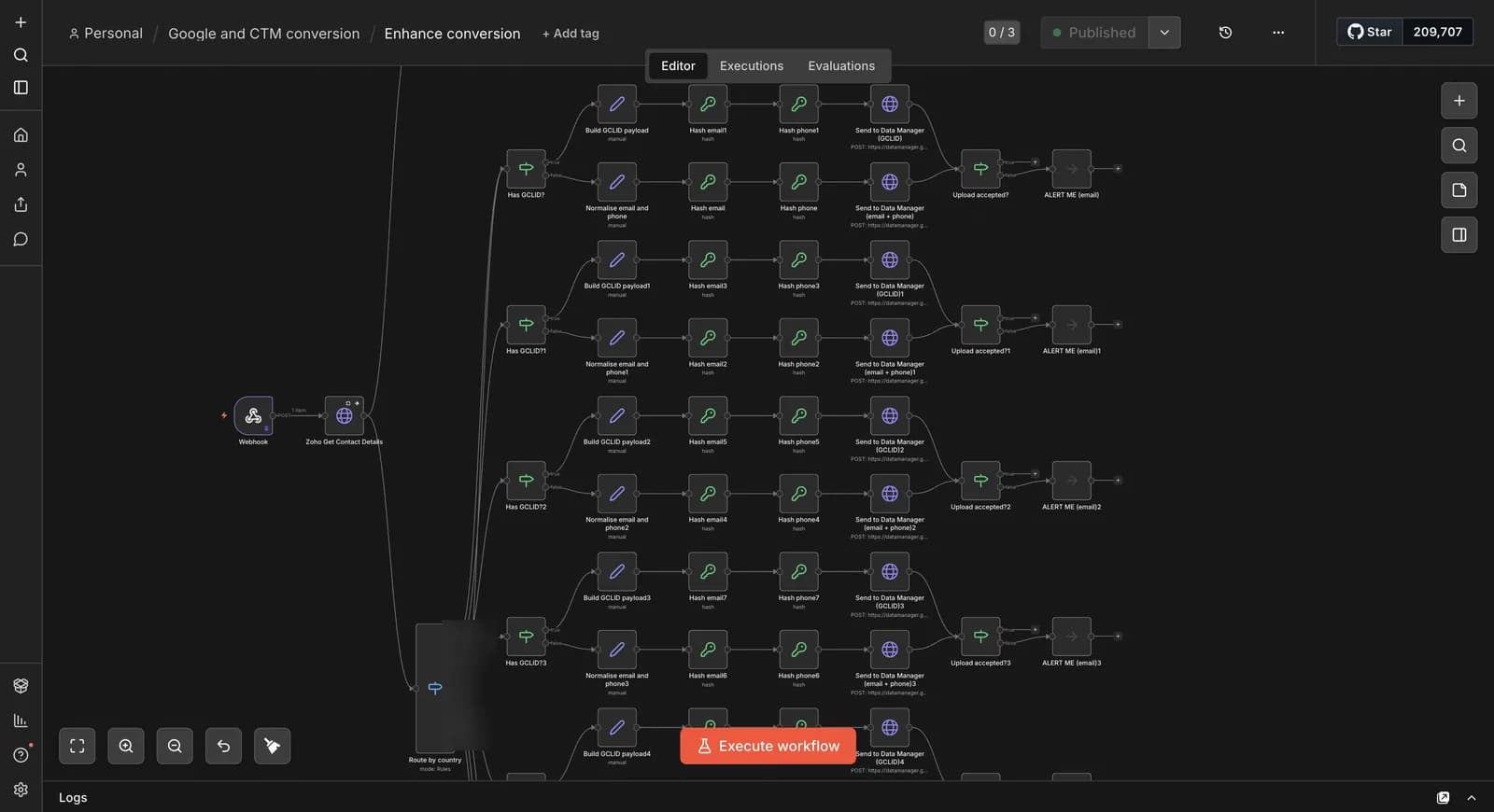
PLATE 03Qualified leads go back to Google Ads as offline conversions, routed by country, with an alert if an upload fails.

PLATE 04Call-tracking attribution: each new lead's phone number is matched to its first call and the source is written to Zoho.
Related resources
Use the connected services, guides, and similar builds to understand the full implementation path.
Service
Custom n8n workflow automation for lead capture, CRM sync, AI enrichment, approvals, and notifications — built to keep running when nobody is watching.
Service
Zoho CRM setup, custom modules, client scripts, Deluge functions, workflow rules, and cross-module automation.
Article
A practical founder-focused comparison of n8n and Zapier, covering ease of use, flexibility, costs, AI workflows, and which platform startups should choose in 2026.
Article
n8n cost per year, worked out: Cloud vs self-hosted for 20 workflows, with server, build, maintenance and upgrade costs so you can budget with real numbers.
Case study
One Zoho operating system for a B2B packaging manufacturer — sales, service, inventory, accounting, ticketing, and analytics — replacing the legacy Excel and Salesforce files the business used to run on.
Case study
A WhatsApp AI sales assistant that qualifies freight enquiries in three languages, remembers every conversation, and alerts the sales team the moment a quote is requested.