ai
Desktop AI Agents in 2026: What to Run Where
Desktop AI agents can now act on real files. Learn what belongs on a laptop, what belongs in orchestrated automation, and how to govern both in 2026.
23 Aug 2026 · 8 min read · Abhijeet Singh
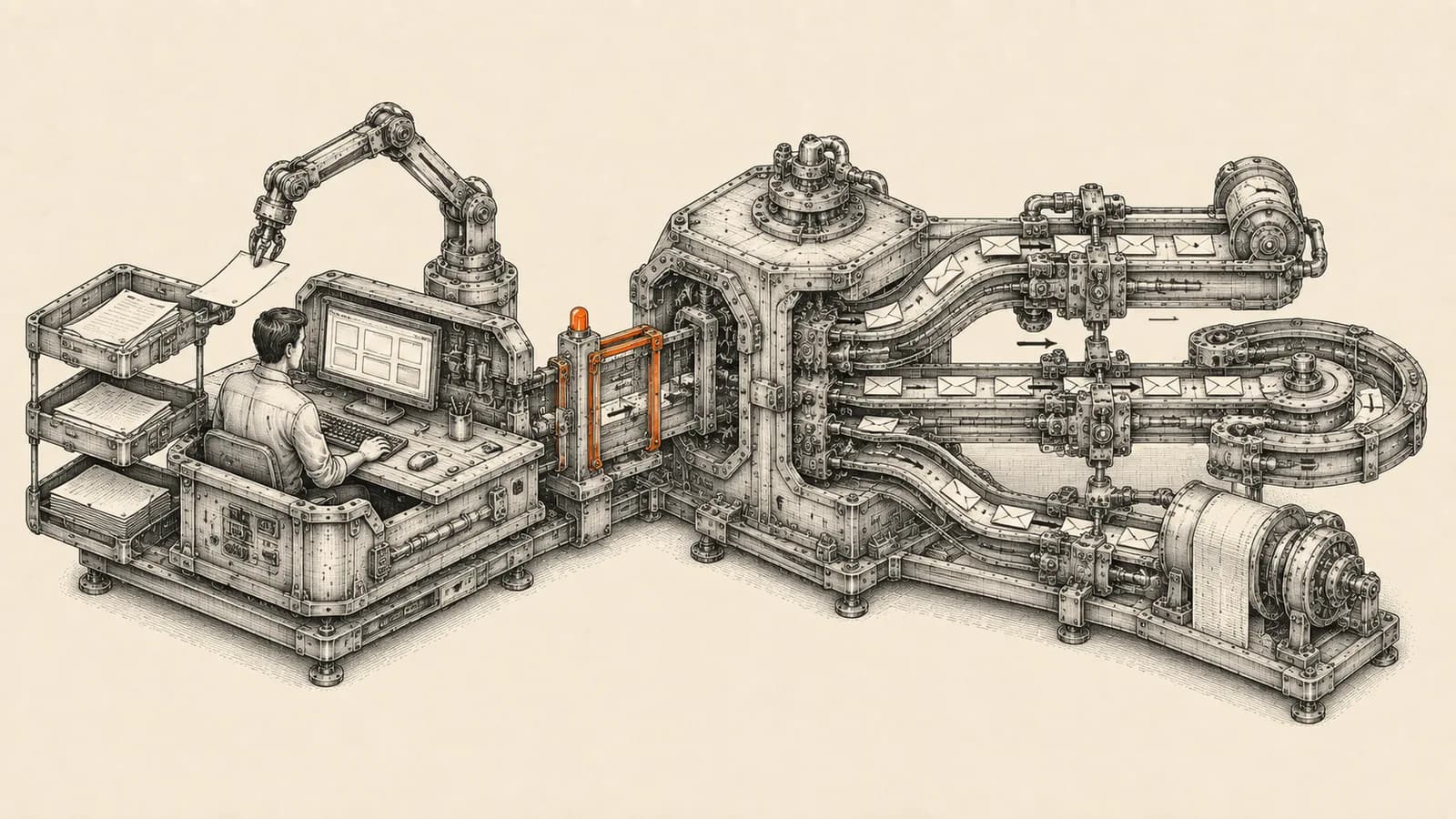
Desktop AI agents crossed a line in 2026. They no longer just draft text in a chat window. They open your files, click through your applications, and finish multi-step work on the machine your team already uses every day. Microsoft is building agent accounts and isolated workspaces directly into Windows, and Anthropic's Claude Cowork runs agentic sessions against your local folders from the desktop app. The question for a founder is no longer whether these tools work. It is which work belongs on a laptop at all.
That distinction matters more than the tooling choice. A desktop agent is bound to one person, one machine, and one session. A business process is not. Confusing the two is the most expensive automation mistake I see teams make this year, and it usually surfaces three months later as a process nobody can audit and nobody can hand over.
What desktop AI agents actually do in 2026
Two implementations are worth understanding, because they represent genuinely different bets.
Microsoft is putting the agent inside the operating system. According to Microsoft's Windows 11 security documentation, Copilot Actions is an AI agent that completes tasks by interacting with your apps and files, using vision and reasoning to click, type and scroll the way a person would. Windows supports it with two new building blocks: agent accounts, described as a separate standard account on the device that agents use when acting on your behalf, and an agent workspace, described as a contained environment where agents work in parallel with a human user, with its own desktop and limited visibility into the user's desktop activity.
Be precise about status here, because much of the coverage was not. Microsoft's own documentation describes Copilot Actions as an experimental feature, previewing to Windows Insiders through Copilot Labs. It is disabled by default and is switched on under Settings, System, AI components, Agent tools, Experimental agentic features. During the experimental preview the agent reaches a limited set of known folders, namely Documents, Downloads, Desktop, Music, Pictures and Videos, and anything beyond that requires explicit authorization. Microsoft also lists Entra and MSA identity support as coming soon, which means the enterprise identity story is not finished.
At Build in June 2026 Microsoft extended the same containment thinking to developers. The Windows developer blog describes Microsoft Execution Containers as a cross-platform, policy-driven execution layer for agents on Windows and WSL, shipping in early preview shortly after the conference. Session isolation arrived supporting non-interactive sessions, with hardware-backed micro-VM isolation and Linux containers through WSL described as roadmap items rather than shipped features. Windows 365 for Agents is generally available and runs the agent in an Intune-managed Cloud PC that is fully separate from the user's machine.
Anthropic took the other route: keep the agent in an application and control it through permissions. Claude Cowork is available on Pro, Max, Team and Enterprise plans, and Anthropic's documentation states it uses the same agentic architecture that powers Claude Code, with no terminal required. On desktop it reads from and writes to local files without manual uploads or downloads. Cloud-based sessions are in beta, and Anthropic notes that the session environment is created for one session, cannot reach your home or company network, and is removed when the session ends.
The security model is real, but it is young
Both vendors are unusually candid about the risks, and founders should read that candour as a signal rather than as boilerplate.
Microsoft's documentation names cross-prompt injection, where malicious content embedded in UI elements or documents overrides the agent's instructions and leads to outcomes such as data exfiltration or malware installation. It also states plainly that models occasionally produce unexpected outputs.
Anthropic's guidance is similarly direct. Cowork offers three approval modes. Under manual approval you confirm each action. Under automatic approval Claude reviews each action for safety before it runs and blocks anything it determines to be unsafe. Skipping approvals entirely is possible and carries the most risk. Permanently deleting files always requires explicit permission. Two caveats deserve attention: web fetch and search run server-side and are therefore not subject to network egress permissions, and computer use has no sandbox between the model and what is on your screen.
There is one governance detail in Microsoft's support documentation that small teams consistently miss. Only an administrative user can turn experimental agentic features on, but once enabled, the setting applies to every user on that device, including standard users. On a shared machine that is a single toggle with consequences for everyone who signs in.
What belongs on the desktop
Desktop agents are excellent at work that is judgement-heavy, low-volume and tied to one person's context.
Good candidates include reformatting a messy export into the shape a report needs, drafting a first-pass analysis from a folder of documents, restructuring a proposal, reconciling two lists that do not share a clean key, and one-off research you will read critically anyway. In each case a human is already in the loop, the input is unpredictable, and the cost of an error is a wasted half hour rather than a broken promise to a customer.
The common thread is that nothing downstream depends on the task running. If the agent stalls or misreads a file, the person notices immediately, because they were waiting for the result.
What belongs in orchestrated automation
Anything the business depends on belongs somewhere else, in a server-side workflow with credentials, retries, logging and a named owner.
Move a process off the desktop when any of the following are true. It must run on a schedule whether or not a laptop is awake. It touches customer-facing systems such as your CRM, your invoicing or WhatsApp. More than one person depends on the output. You would need to prove later what ran and what it changed. It handles credentials that should never sit inside an individual's session. Failure would be silent, meaning nobody finds out until a customer complains.
This is the layer we build for clients at AbhijeetBuilts, usually in n8n against Zoho or another CRM. The reason is not preference. It is that orchestration platforms provide properties a desktop session structurally cannot. n8n's documentation covers error workflows that fire when a run fails, per-node retry settings, and an execution history you can inspect after the fact. Credentials live in the platform rather than on an endpoint. The workflow keeps running when the person who built it is on leave.
A desktop agent has none of that by design. It is a personal tool, and a personal tool is the wrong home for a process the business has promised to somebody.
A practical split for a small team
The cleanest way to sort the work is along two axes: how repeatable it is, and who depends on it.
Repeatable and depended upon goes to orchestration. Lead routing from a web form into the CRM, invoice extraction into accounting, WhatsApp follow-ups, the nightly report that lands before the morning meeting. Build it once properly, log it, and give it an owner.
Unrepeatable and personal stays on the desktop. The analysis you needed today, the document you are restructuring once, the research you will read anyway.
The interesting cases sit in between. Something one person does manually every week is a candidate for orchestration but is not yet proven. Let it run on the desktop for a few weeks, watch where it actually breaks, then encode the settled version as a workflow. Desktop agents make an excellent prototyping surface precisely because they are cheap to change and easy to abandon.
How to roll this out without losing control
Start with a written rule about what agents may touch. In practice that means naming which folders are connected, which systems are off limits entirely, and who may approve an agent action against a customer-facing tool.
Keep approvals manual for anything that writes to a system of record. Automatic approval is reasonable for local, reversible work and unreasonable for anything that sends a message or changes a customer record.
Decide deliberately on shared machines. Given that the Windows experimental setting is administrator-enabled but device-wide, a shared workstation is the worst place to switch it on casually.
Give every orchestrated workflow an owner and a failure alert. An automation nobody is responsible for is a liability that has not surfaced yet.
Resist the temptation to migrate everything at once. The teams that get real value here move one process at a time and keep the manual path available until the automated one has run clean for several cycles.
The trade-offs founders get wrong
The first mistake is treating a desktop agent as an employee. It is a session. It has no continuity, no accountability and no handover.
The second is assuming the isolation is complete. It is genuinely good and improving, but Microsoft's own micro-VM isolation is a roadmap item rather than a shipped one, and Anthropic explicitly flags that computer use is not sandboxed against your screen.
The third is over-indexing on capability demos and under-investing in the boring layer. The demo that impresses is an agent doing something clever once. The thing that pays for itself is a workflow that runs correctly nine hundred times and tells you about the one time it did not.
If you are working out which of your processes belong on a laptop and which need a proper orchestration layer behind them, that mapping is exactly what we do with clients, and it is usually a shorter conversation than founders expect. Get in touch through the website and we can look at your current stack and tell you honestly which half is worth automating first.
Related resources
Keep building the automation map
Move from the guide into the services and proof pages connected to this topic.
Related services
Service
Explore AI Operating System
A done-for-you AI operating system built on Claude: a second brain that knows your business, remembers everything between sessions, and safely runs your recurring work.
Service
Explore AI Agent Development
AI agents for sales replies, lead memory, storyboard generation, data extraction, and structured automation outputs.
Service
Explore n8n Workflow Development
Custom n8n workflow automation for lead capture, CRM sync, AI enrichment, approvals, and notifications — built to keep running when nobody is watching.
Further reading
Guide
Read: The AI Operating System for Founders: A 2026 Guide
An AI operating system replaces scattered SaaS with one orchestration layer. Here's how founders build one in 2026: the stack, the steps, and the trade-offs.
Guide
Read: Human-in-the-Loop AI Agents: The 2026 Approval Framework
Human-in-the-loop AI agents don't need approval on every action. Here's the four-tier risk framework that keeps AI agent oversight tight in 2026.
Guide
Read: AI Coding Agents in 2026: What Ops Teams Can Build
AI coding agents changed in 2026. What ops teams can safely build with them, the three-question test before production, and when to use n8n instead.
Proof pages
Case study
See case study: Automated LinkedIn Outreach with AI Reply Agent
A complete LinkedIn outreach system: prospect scraping, a deliberately gradual connection ramp, post engagement, acceptance tracking, campaign messaging, and Claude-powered replies that remember every lead.
Case study
See case study: Multilingual WhatsApp Sales Bot for an International Freight Forwarder
A WhatsApp AI sales assistant that qualifies freight enquiries in three languages, remembers every conversation, and alerts the sales team the moment a quote is requested.