automation
AI Video Automation in 2026: Surviving Model Shutdowns
Sora 2's API shuts down September 24, 2026. Build AI video automation that survives vendor deprecations, with real cost math and a migration plan.
5 Aug 2026 · 8 min read · Abhijeet Singh
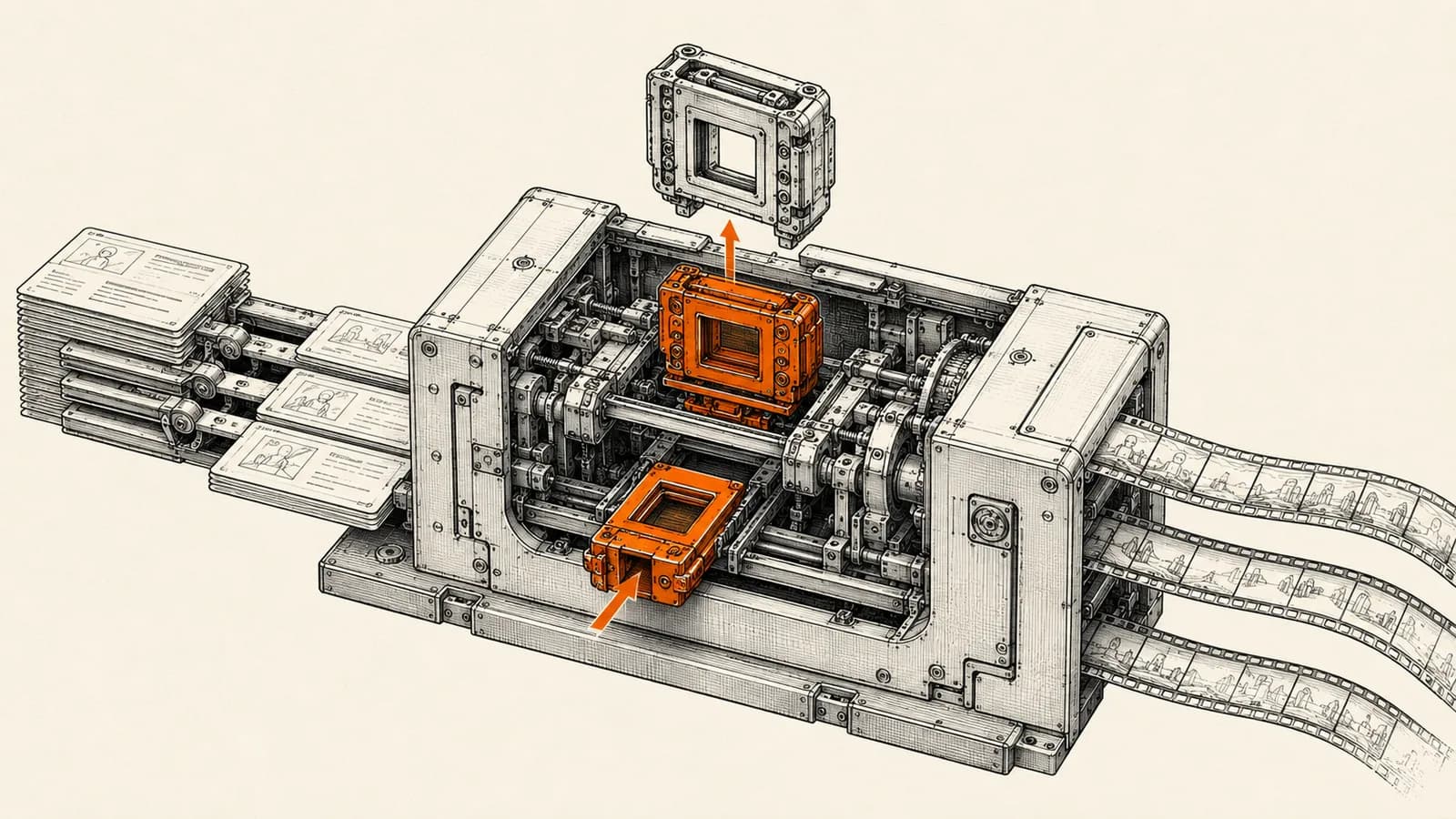
AI video automation is the first place most small teams feel real vendor risk. You wire a pipeline to one model, it produces good clips for six months, and then the vendor posts a deprecation notice and your content engine stops. That is not a hypothetical in 2026. OpenAI's own deprecations page lists the Sora 2 models and the Videos API with a shutdown date of September 24, 2026, and the recommended replacement column for those entries is empty.
That last detail is the important one. Normally a deprecation points you at a successor model and you change a string in your config. Here there is no successor inside the same vendor. Anyone who built a production video pipeline on `sora-2` or `sora-2-pro` is not doing a version bump in September. They are doing a migration.
This post is about building AI video automation that treats the model as a replaceable part rather than the foundation. The architecture matters more than which model is winning this quarter.
What actually happened with Sora
OpenAI ran a two-stage wind-down. The consumer Sora app and web experience closed on April 26, 2026, and the API follows on September 24, 2026, according to reporting from The Decoder. The deprecation entry itself was posted on March 24, 2026, which gave developers roughly six months of notice.
The deprecation list covers more than one model name. It includes `sora-2`, `sora-2-pro`, the dated snapshots of both, and the Videos API endpoint itself. Pinning to a dated snapshot, which is the usual defensive move against silent model changes, bought nothing here because the whole endpoint is going away.
The Decoder also reports that OpenAI is redirecting resources toward enterprise tooling and a more unified product, with Sora continuing as a research effort into world models rather than a shipping product. Generated content needs to be exported before the deadlines pass, after which user data is deleted. If you have a library of approved brand clips living in a vendor's storage, that is the sentence to reread.
The deprecation clock runs on every vendor, not just one
It would be comfortable to treat this as one company's strategy problem. The dates say otherwise.
Google's official Gemini API pricing page marks Veo 3 and Veo 2 as deprecated with a shutdown date of June 30, 2026, a date that has now passed. The current generation is Veo 3.1, and the pricing page lists Standard at 0.40 US dollars per second for 720p and 1080p and 0.60 per second for 4k, Fast at 0.10 per second for 720p and 0.12 for 1080p, and Lite at 0.05 per second for 720p and 0.08 for 1080p. Audio is included by default rather than billed separately.
On the avatar side, HeyGen's developer documentation states that its v1 and v2 endpoints remain fully operational and supported through October 31, 2026, with v3 as the active platform where new features and priority support land. HeyGen is explicit that no immediate action is required, which is the polite version of a countdown.
Three major vendors, three different clocks, all inside a twelve-month window. Plan for the pattern, not the individual announcement.
Why most AI video automation pipelines break on migration day
The pipelines that break share a specific flaw. The creative intent lives inside vendor-shaped prompt strings, scattered across workflow nodes, and nowhere else.
When the model changes, prompts do not transfer cleanly. Each family responds differently to camera direction, shot length, and style vocabulary. If your only record of what a video was supposed to be is a prompt tuned to one model's quirks, you are not migrating, you are rewriting from memory.
The second flaw is storage. Teams let the vendor hold the renders because it is convenient and the vendor has a nice library UI. Then the export deadline arrives and someone spends a weekend downloading assets by hand.
The third is a single hardcoded call. One HTTP node, one model name, one response shape parsed inline. Swapping vendors means touching every workflow that ever produced a video.
A four-layer architecture that survives a shutdown
The fix is boring and it works. Separate the pipeline into four layers with clean boundaries.
Layer one: the brief, stored as structured data
Keep a record per video that describes intent in model-neutral terms. Scene sequence, duration per scene, aspect ratio, spoken script, on-screen text, tone, product references, and approval status. This lives in your database or a sheet, not in a prompt box.
The prompt becomes a rendering of the brief, generated at call time for whichever model you are using. When you switch vendors you write one new prompt template, not two hundred new prompts.
Layer two: assets you own
Voiceover, logos, product photography, background music, and approved b-roll belong in your own storage with your own naming convention. Vendor-hosted assets are borrowed, not owned. This layer is also what makes a migration cheap, because half of a typical marketing video is not model-generated at all.
Layer three: the render adapter
Every generation call goes through one workflow whose job is to accept a brief and return a file path. Inside it, a switch on the model name routes to the right vendor with the right payload shape and normalizes the response. Nothing else in your system knows which vendor rendered a clip.
This is the layer that turns a September migration into an afternoon. You add a branch, run both in parallel on the same briefs, compare output, and flip the default.
Layer four: distribution
Publishing to social platforms, the website, WhatsApp broadcasts, or the CRM should read from your storage, never from a vendor URL. Vendor links expire. Yours do not.
The cost math worth doing before you commit
Per-second pricing makes AI video automation deceptively easy to under-budget. Work it out in the units you actually ship.
A 30-second clip on Veo 3.1 Standard at 1080p costs 12.00 US dollars at the listed 0.40 per second. The same clip on Fast at 1080p is 3.60, and on Lite at 720p it is 1.50. Now multiply by volume and by your retry rate, because first renders get rejected. A team shipping 100 clips a month on Fast at 1080p is looking at roughly 360 US dollars in render cost before retries, and retries in creative work are not rare.
The practical conclusion is that tier selection matters more than vendor selection for most SMB use cases. Draft and internal review renders belong on the cheapest tier that communicates the idea. Only approved final cuts deserve the expensive tier. Pipelines that render everything at maximum quality burn budget on clips nobody ever publishes.
The async problem in n8n, and how to handle it
Video generation is slow. A render takes minutes, not seconds, and that breaks the request-response habits people bring from other automations.
The n8n Wait node is the right tool, and its documented behaviour has a detail worth knowing. The docs state that when a workflow pauses it offloads execution data to the database and reloads it when the resume condition is met, but for wait times under 65 seconds it does not offload and simply keeps the process running. For a render poll loop, waits comfortably above that threshold are the friendlier choice for your instance.
The Wait node resumes on a time interval, at a specified time, on a webhook call, or on a form submission. If your render vendor supports completion webhooks, resume on webhook and skip polling entirely. Where only polling is available, use a bounded loop with the Limit Wait Time option so a stuck job fails cleanly instead of hanging forever.
On self-hosted instances, check your execution timeout settings. The n8n documentation notes that the default for the execution timeout variable is -1, meaning timeouts are disabled, with a separate maximum variable capping what individual workflows can request. Long video jobs are exactly the workload that surfaces a misconfigured timeout at the worst moment.
Human approval belongs in this layer too. A generated clip that goes straight to a public channel with no review step is a brand incident waiting for a slow week.
A migration checklist to run this month
If you have anything running on a deprecated video endpoint, work through this in order.
First, inventory every workflow that calls a video model, including the forgotten ones. Second, export every asset you do not already hold in your own storage, before the vendor deadline rather than during it. Third, extract the creative intent out of your prompt strings and into structured briefs. Fourth, introduce the render adapter as a single workflow, even while still pointing at the old vendor. Fifth, run a parallel bake-off on ten real briefs and judge output on your own footage, not on vendor demo reels. Sixth, flip the default and keep the old branch until the shutdown date passes.
This is the sequence we use at AbhijeetBuilts when a client's content pipeline needs to move between vendors without a gap in publishing. The adapter step is the one people want to skip, and it is the one that pays for itself the second time a vendor changes course.
What this means for founders
The honest read on AI video automation in 2026 is that model quality is improving faster than vendor commitments are stabilising. Choosing the best model today is a much smaller decision than designing a system that can change models without a rebuild.
Build the brief layer, own your assets, isolate the render call, and keep publishing decoupled from any vendor. Do that and a shutdown notice becomes a calendar entry rather than an emergency.
If you are running content operations on a pipeline that is hardcoded to a single video vendor, or you want a system that produces consistent branded video without a manual editing bottleneck, get in touch through the contact form on this site. A short conversation about your current stack is usually enough to tell whether you need a migration, a rebuild, or just an adapter layer.
Related resources
Keep building the automation map
Move from the guide into the services and proof pages connected to this topic.
Related services
Service
Explore AI Video Automation
Automated video production pipelines: script in, finished narrated and subtitled video out — for YouTube, Instagram Reels, and content at scale.
Service
Explore n8n Workflow Development
Custom n8n workflow automation for lead capture, CRM sync, AI enrichment, approvals, and notifications — built to keep running when nobody is watching.
Service
Explore AI Agent Development
AI agents for sales replies, lead memory, storyboard generation, data extraction, and structured automation outputs.
Further reading
Guide
Read: How to Think About Business Automation Before Building Workflows
Good automation starts with the business process, not the tool. Here is a practical way to map workflows before building in n8n, Zoho, or AI agents.
Guide
Read: Self-Hosting n8n in 2026: A Founder's Decision Guide
Self-hosting n8n in 2026 can cut costs and keep data in-house, but only when it fits your team. A practical framework for self-host versus cloud.
Guide
Read: AI Voice Agents for Small Business in 2026: A Buying Framework
AI voice agents for small business reached real maturity in 2026 — here's a practical framework for evaluating cost, compliance, and platform fit.
Proof pages
Case study
See case study: End-to-End AI Video Production Pipeline
A two-workflow pipeline that turns a written script into a narrated, subtitled, edited 1080p video — AI storyboarding, image generation, voiceover, and FFmpeg assembly, with no manual editing in between.
Case study
See case study: Automated LinkedIn Outreach with AI Reply Agent
A complete LinkedIn outreach system: prospect scraping, a deliberately gradual connection ramp, post engagement, acceptance tracking, campaign messaging, and Claude-powered replies that remember every lead.