ai
AI Agent Tool Sprawl: How Anthropic's 2026 Upgrades Fix It
AI agent tool sprawl quietly inflates automation costs. See how Anthropic's 2026 MCP upgrades cut context bloat and add real access control.
6 Jul 2026 · 7 min read · Abhijeet Singh
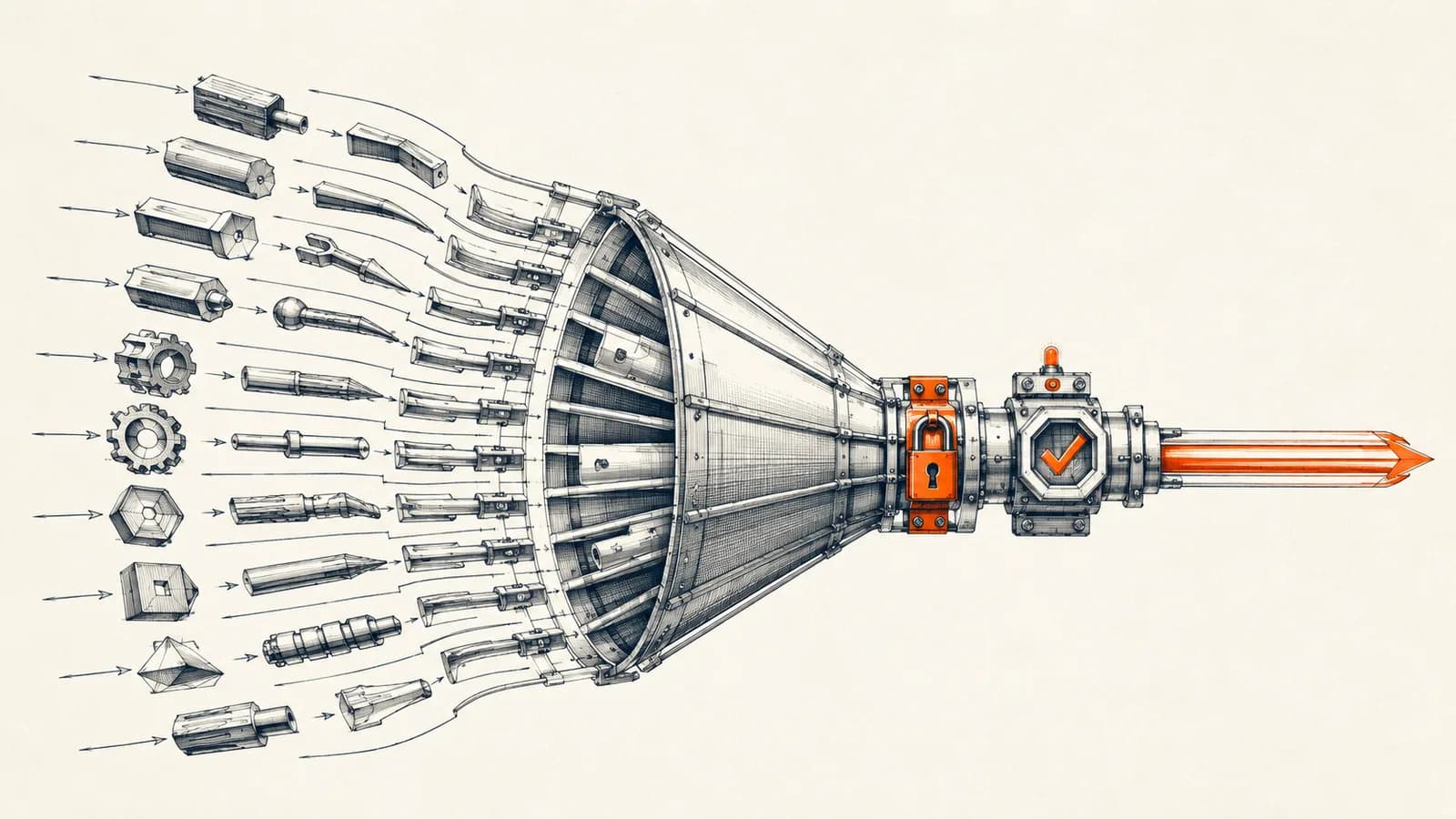
The hidden cost of connecting AI agents to more systems
Most businesses that adopt AI agents start small: one agent watching a WhatsApp inbox, or one agent pulling leads into a CRM. Then it works, and the natural next step is to connect that agent to more systems: inventory, calendar, billing, a support desk, a reporting tool. Each new connection is usually built as an MCP (Model Context Protocol) server, and each one adds its own set of tool definitions that the model has to read before it can do anything.
This is where AI agent tool sprawl quietly becomes a real operating cost. Every tool definition your agent can call sits in its context window on every single request, whether that request needs the tool or not. An agent connected to five MCP servers can be carrying tens of thousands of tokens of tool definitions before it has processed a single instruction from a user. That's money spent and latency added on every call, and it gets worse every time you plug in one more integration.
Anthropic shipped two updates in the past year that speak directly to this problem: a way to stop paying for tools you're not using, and a way to control who's allowed to use them in the first place. Both matter if you're running, or planning to build, AI agents that touch real business systems.
What tool sprawl actually costs a growing agent
According to Anthropic's engineering documentation on advanced tool use, a Claude-based agent connected to just five MCP servers can see tool definitions consuming roughly 55,000 tokens before the conversation even starts. That's context spent on definitions the agent may never call in a given turn, on every single request, for the life of the agent.
The knock-on effect isn't just cost. It's accuracy. Anthropic's own benchmarking, published alongside the feature, found that loading too many tool definitions at once actively hurts a model's ability to pick the right one and fill it in correctly. The fix they shipped, the Tool Search Tool, changes how tools are loaded in the first place: instead of handing the model every tool definition up front, you mark tools with a defer_loading flag, and the model sees only the Tool Search Tool itself plus whatever it uses most often. It then searches for the specific tool it needs, on demand, in the moment it needs it.
The reported numbers are substantial. With Tool Search Tool enabled, that same five-server setup drops from roughly 55,000 tokens of upfront definitions to about 8,700, an 85 percent reduction, while still preserving access to the full tool library. Accuracy moved in the same direction: Anthropic reported Opus 4 improving from 49 percent to 74 percent on a tool-selection benchmark with the feature enabled, and Opus 4.5 improving from 79.5 percent to 88.1 percent. This shipped as a real feature (accessible via a beta header) in Anthropic's November 2025 advanced tool use release, not a roadmap item.
Two more pieces worth knowing about
Tool Search Tool is the headline, but Anthropic bundled two smaller mechanisms in the same release that are worth understanding if you're building agents with real operational responsibility.
The first is programmatic tool calling. Rather than having the model call a tool, wait for a full result, reason over it, and call the next tool in a separate inference pass, tools marked for programmatic calling let the model write a short script that calls several tools in sequence and only see the final result. Anthropic reported average token usage dropping from about 43,588 to 27,297 tokens on workflows using this pattern, a 37 percent reduction, because intermediate results never enter the model's context at all. This is the pattern to reach for when an agent has to run several dependent steps, like pulling records from one system, filtering them, and pushing a subset into another.
The second is tool use examples. JSON schemas are good at describing a tool's shape but bad at describing its conventions: date formats, which fields tend to travel together, what a minimal call looks like versus a fully specified one. Anthropic's own testing found that adding a small set of example calls to a tool definition improved accuracy on complex parameter handling from 72 percent to 90 percent. If you've ever watched an agent misformat a date or omit a required field it technically had access to, this is the fix for that class of error.
The other half of the problem: who's allowed to use these tools
Cost and accuracy are only one side of running agents against real business systems. The other side is governance: which tools can a given agent actually reach, and who authorized that.
In June 2026, Anthropic and the Model Context Protocol project shipped Enterprise-Managed Authorization, promoting what had been an authorization extension to the MCP spec to stable status. The first live implementation ties into Okta: an IT admin provisions an MCP connector for the whole organization once, and employees inherit access automatically the first time they log into Claude, with no per-user OAuth consent screen and nothing for the end user to configure. Under the hood this runs on an identity assertion mechanism (Okta calls its implementation Cross App Access) that lets an identity provider vouch for both who a user is and what they're allowed to touch, in a single round trip, rather than leaving every MCP server to manage its own authorization independently.
At launch, seven providers supported this: Asana, Atlassian's Jira and Confluence, Canva, Figma, Granola, Linear, and Supabase, with Slack announced as coming soon. That list skews toward larger organizations already running Okta, so it won't be directly usable by most small and mid-size businesses today. What it signals matters more than who can use it right now: MCP governance is being treated as core infrastructure, not an afterthought bolted on after agents are already in production. Expect this pattern, centrally provisioned, identity-verified tool access, to become the default expectation for any AI agent touching sensitive systems, well before every business is running enterprise identity software.
What this means if you're running AI agents in your business
None of this requires an enterprise IT department to act on. A few practical takeaways apply whether you have one agent or a dozen:
Audit what your agents can actually touch. If an agent connected to your CRM, WhatsApp, and inventory system technically has access to write actions in all three on every request, that's both a cost problem and a risk problem, regardless of whether you're using Tool Search Tool yet.
Treat tool count as a design constraint, not an afterthought. An agent that only ever needs three or four tools for its actual job doesn't need to carry the weight, or the risk, of fifteen. Scope each agent to the smallest set of tools its role requires, and only widen that scope when there's a concrete reason to.
Watch token cost as a leading indicator of tool sprawl. If your per-conversation token usage has crept up as you've added integrations, and none of that growth is coming from longer conversations, tool definitions are very likely the culprit. That's a fixable problem, not a fixed cost of scaling.
Plan for access control even without Okta. You don't need enterprise identity federation to apply the same principle: log what each agent's tools were used for, review that log periodically, and revoke or narrow access for tools that aren't earning their place.
This is exactly the kind of design decision that separates a demo agent from one that can run unattended in a real business. When we build AI agents for clients at AbhijeetBuilts, this is where most of the engineering time actually goes: not wiring up one more integration, but deciding deliberately which systems an agent should reach, scoping its tools narrowly for its job, and keeping an eye on what it's actually costing to run as usage grows. That discipline is what makes an agent trustworthy enough to leave running against production data.
If you're building or scaling AI agents connected to your CRM, WhatsApp, inventory, or reporting systems and want a second opinion on how they're scoped, get in touch through the AbhijeetBuilts website. We can walk through what your agents currently touch, where the token cost is coming from, and how to structure access so it scales without becoming a liability.
Related resources
Keep building the automation map
Move from the guide into the services and proof pages connected to this topic.
Related services
Service
Explore AI Agent Development
AI agents for sales replies, lead memory, storyboard generation, data extraction, and structured automation outputs.
Service
Explore n8n Workflow Development
Custom n8n workflow automation for lead capture, CRM sync, AI enrichment, approvals, and notifications — built to keep running when nobody is watching.
Service
Explore Custom CRM Implementation
Custom CRM architecture for sales pipelines, operations handoff, service workflows, invoicing, and reporting dashboards.
Further reading
Guide
Read: n8n MCP Server: Turn Workflows Into AI Agent Tools (2026)
n8n MCP server explained: expose workflows as AI agent tools using the July 2026 MCP spec update, with setup steps, examples, and security tradeoffs.
Guide
Read: How Startup Teams Can Use AI Agents to Reduce Manual Follow-Ups
Learn how startup teams can use AI agents to reduce missed follow-ups, keep CRM records updated, and improve lead response without losing human control.
Guide
Read: How to Think About Business Automation Before Building Workflows
Good automation starts with the business process, not the tool. Here is a practical way to map workflows before building in n8n, Zoho, or AI agents.
Proof pages
Case study
See case study: Multilingual WhatsApp Sales Bot for an International Freight Forwarder
A WhatsApp AI sales assistant that qualifies freight enquiries in three languages, remembers every conversation, and alerts the sales team the moment a quote is requested.
Case study
See case study: Automated LinkedIn Outreach with AI Reply Agent
A complete LinkedIn outreach system: prospect scraping, a deliberately gradual connection ramp, post engagement, acceptance tracking, campaign messaging, and Claude-powered replies that remember every lead.